
Saved Configs and Hotkeys in CS2 Faceit Cheats
What save/load and keyboard controls provide, and which storage and binding details remain unspecified.
Config saving and hotkeys are the two documented miscellaneous tools in CS2 Faceit Cheats. Save/load lets you store settings and return to them later. Hotkeys let you control features with keyboard shortcuts. These practical functions belong beside the aim and visual groups, but their exact implementation is not described in the summary.
Save a set of choices
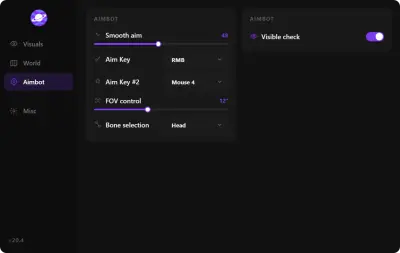
A configuration is a set of settings you want to keep. FOV control, bone selection and visible check are among the documented controls in this package. Save/load gives you a way to revisit a configuration rather than treating each session as a fresh set of choices.
The summary does not specify where files are stored, whether settings synchronize between computers or whether configurations can be shared. It also does not document a profile limit. A local or cloud storage claim would need additional product information.
Know what you are restoring
Before loading a saved configuration, understand the choices it represents. A FOV choice concerns the aim-search area, while bone selection concerns the model point. Visible check is a separate condition. The aim controls explanation helps distinguish them.
This is also why a copied preset from a different CS2 product is not a reliable description of this one. Settings may have different names or may not be documented at all. Work from the actual product instructions rather than inferred sliders or menu screenshots.
Keyboard control has a limited claim
Hotkeys are listed, but the summary does not name which functions can be bound or whether bindings use hold, toggle or another activation behavior. It is accurate to describe keyboard control; it is premature to promise a particular key for every visual or aim function.
If a specific binding is important, confirm it through support before selecting the product. The question should name the feature you want to control and the input behavior you need, so the answer can be specific.
Configuration does not change product scope
A saved profile does not turn the FACEIT Version into a Premier or standard matchmaking build. It also does not remove Windows or Cloud DMA requirements. Keep platform and system prerequisites separate from personal settings.
Review the full feature list first, identify which documented choices you want to keep, and then use the product instructions for saving and loading them. That is a useful workflow without inventing storage paths or guaranteed future preset compatibility.