
FACEIT Version vs Standard CS2 Matchmaking
Understand which CS2 environment the FACEIT Version targets and why Premier is outside this package’s scope.
CS2 is the game, but FACEIT Version identifies the environment this package was made for. CS2 Faceit Cheats is intended for FACEIT lobbies only. It is not designed for standard Valve matchmaking or Premier. That distinction should come before comparing individual aim or visual features.
Start with the platform
Two products can both mention CS2 and still have different intended uses. A list that includes aimbot and ESP tells you about functions; it does not establish which matchmaking environment a particular build supports. For this package, the platform is explicitly FACEIT.
For example, a buyer who mainly plays Premier should not treat a familiar feature name as evidence that this is the right version. The product’s name and the supported environment need to agree with the intended session. Changing an aim setting does not change that environment.
What the FACEIT package documents
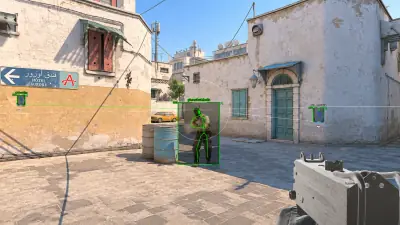
The aim group contains smooth aim, FOV control, bone selection and visible check. The visual group lists player ESP, skeleton, box, health, radar and an overlay described as stream-proof. Config saving and hotkeys complete the documented controls.
These names describe assistance, information and configuration. They do not establish match results, detection outcomes or compatibility with future releases. The full product page keeps the feature list and requirements together so the scope is easier to review.
Requirements belong in the same decision
Windows 10 or 11 is listed, with HVCI, Core Isolation, TPM and Secure Boot on. Cloud DMA is needed separately. Buying a FACEIT-specific package does not remove those prerequisites, and owning a different utility does not substitute for them.
Read the Windows requirements guide and the Cloud DMA dependency guide before making a selection. They separate the main package’s requirements from the supporting utility’s own specifications.
A clear decision before checkout
First confirm FACEIT is the environment you need. Next compare the documented functions with the controls you want. Finally account for Windows and Cloud DMA. If standard matchmaking or Premier is your intended use, this package is outside that scope. If the platform fits but a dependency is unclear, use support to clarify it before ordering.