
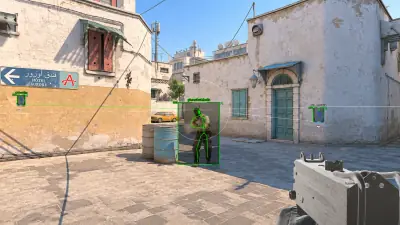
Radar vs Player ESP: Two Ways to Read Positions
Understand the difference between scene-based player markers and the radar-style view documented for CS2 FACEIT.
Radar and player ESP both concern where players are, but they present that information differently. The CS2 FACEIT feature list includes both. Player ESP marks positions on screen; radar provides a radar-style position display. The list does not document enough detail to describe the radar’s exact layout or behavior.
Position information in the scene
Player ESP gives a position reference on the screen. Skeleton and box are additional visual formats attached to player models. Health supplies a separate status reference. These features help explain what information the visual group contains, without assuming specific colors, labels or ranges.
A box around a player and a position on a radar are therefore different representations of a location. You can understand the distinction without assuming that the radar replaces the game minimap or uses a particular interface. Neither claim appears in the supplied summary.
A radar-style view
The documented claim is that radar shows player positions. The summary does not say whether it is an in-game element or a separate overlay. It does not provide scale controls, orientation modes, map coverage or update frequency.
Those missing details matter if you have a specific display arrangement in mind. If your purchase depends on where the radar appears, ask support for that detail. A screenshot from another build is not evidence for this package.
Radar does not define aim behavior
FOV control defines the aimbot’s target-search area. Bone selection chooses the aim point, and visible check limits aiming to visible enemies. The radar is not documented as a targeting input or as a control for any of those settings.
Read the aim controls guide alongside the ESP overview to keep information displays and aim selection distinct. That separation is useful when comparing feature names across products.
What to confirm before choosing
Start from the supported environment: this is the FACEIT Version, not a standard matchmaking or Premier package. Then decide whether the documented position displays fit what you need. If exact radar placement or operation is essential, resolve it before ordering.
The main product page lists radar with the rest of the visual group. It also gives the Windows security settings and the separate Cloud DMA requirement, which still apply regardless of the display style you prefer.